All information, visuals, branding, and certain design processes have been modified to comply with the confidentiality requirements of U.S. Bank.
Business Essentials
View Live Page
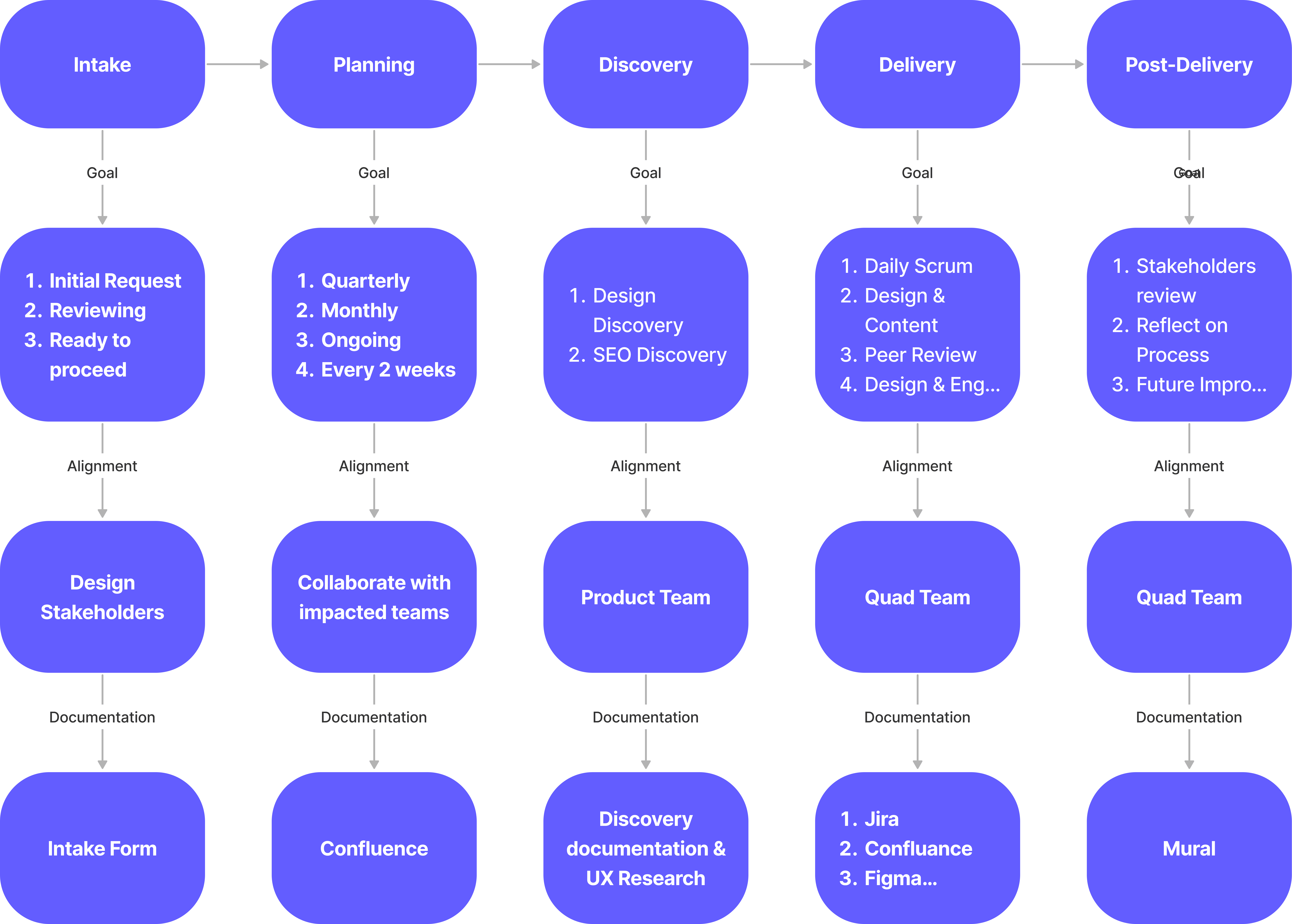
Led the Shop → Apply experience for U.S. Bank Business Essentials, aligning product, engineering, and risk to reduce uncertainty in a regulated application flow and improve completion.
27%
Decision Confidence
14%
Application Completion Rate
+98%
unassisted submission
What made this hard: multi-product complexity + legacy constraints
Business Essentials wasn’t a single feature design. It was a bundled experience across banking + payments + POS, delivered through multiple teams with different systems and incentives. The hardest parts were the interfaces between teams, legacy constraints, compliance requirements, and fragmented handoffs that could easily break the journey even when individual screens looked fine.
Decisions I drove (and why)
To make the experience feel coherent end-to-end, I pushed beyond “page-by-page design” and drove a few key decisions that shaped the direction of the work:
01
Design the journey, not pages
The work initially treated Shop, Apply, and onboarding as separate deliverables. I drove alignment around the end-to-end journey so “browse → apply → set up” didn’t break at the seams.
02
Reduce uncertainty (not just steps) in Apply
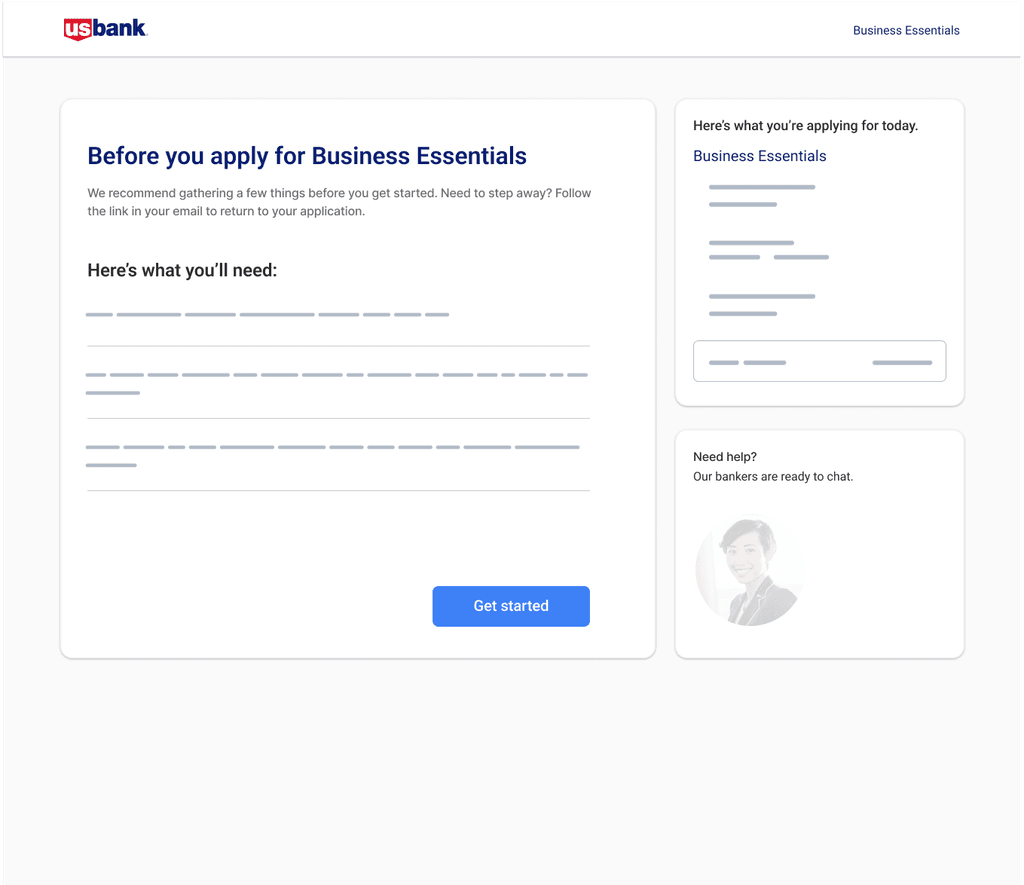
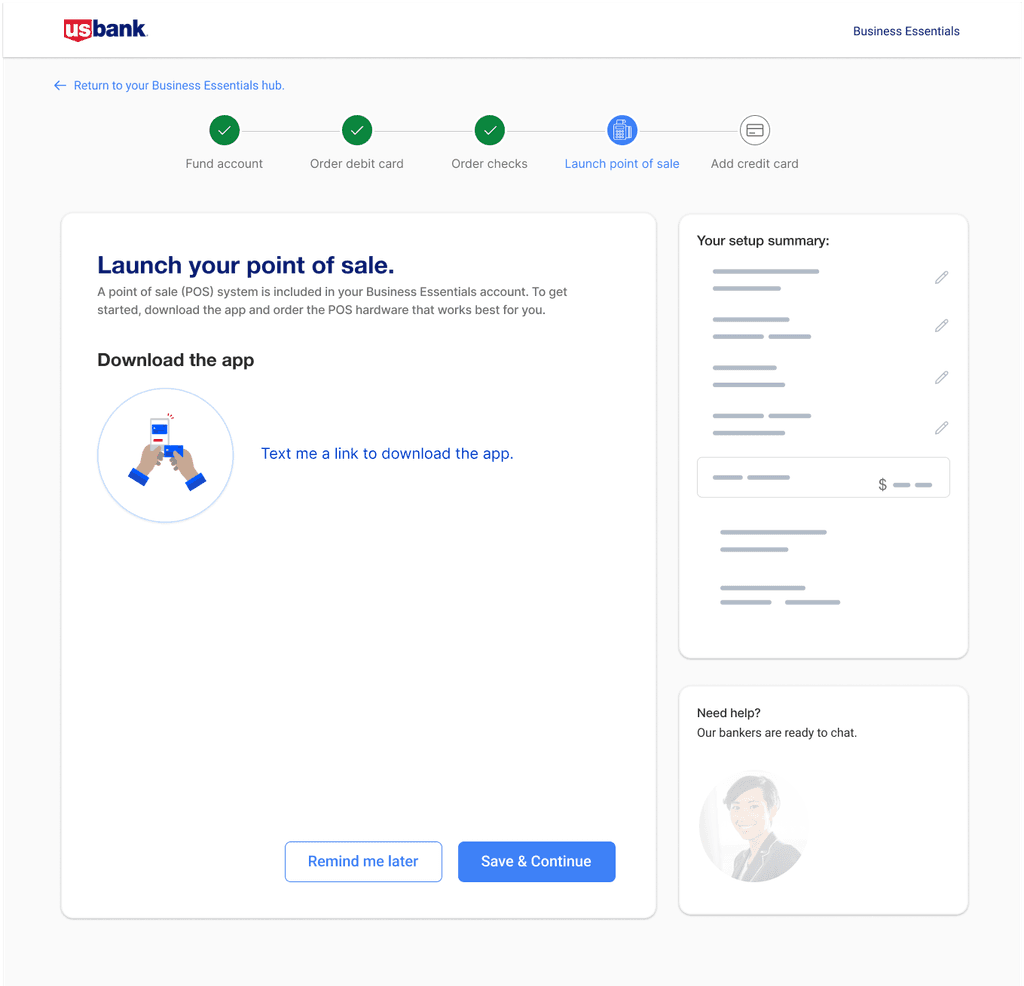
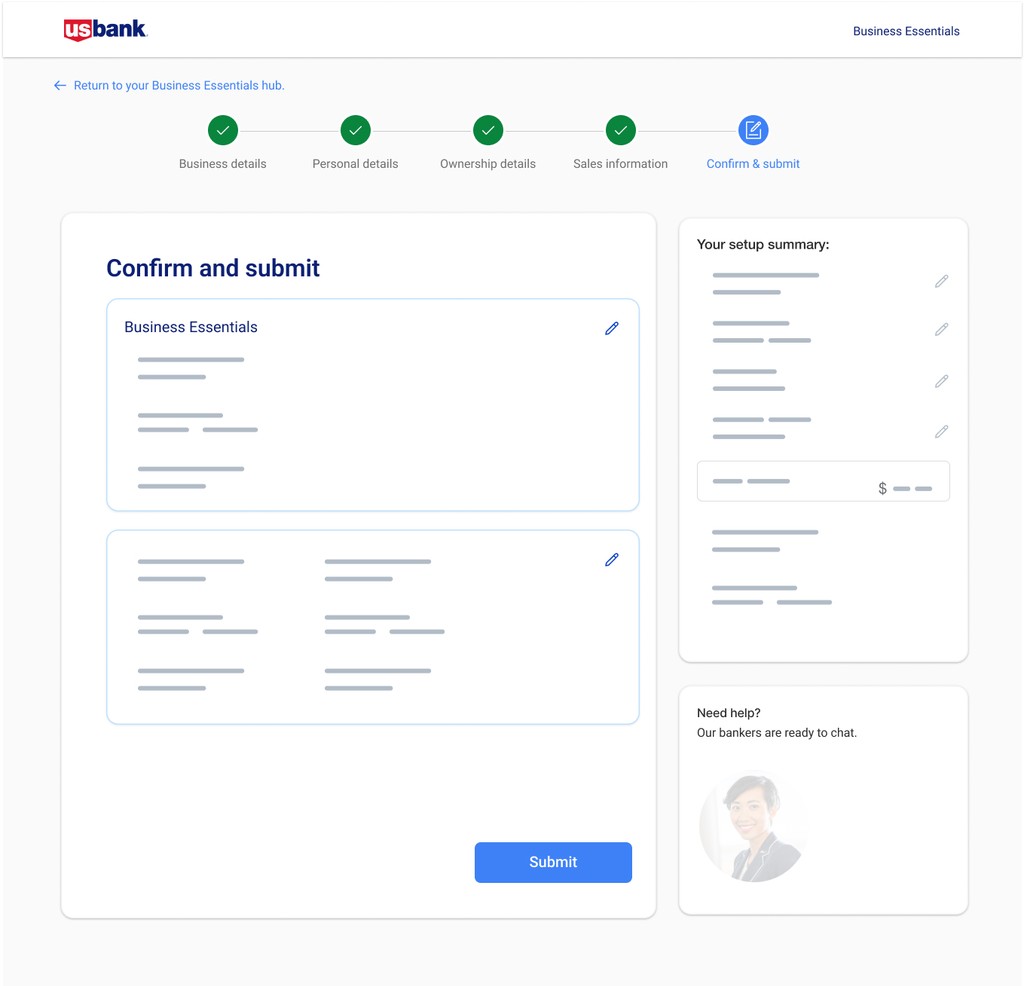
Because compliance steps couldn’t be removed, I drove the decision to increase completion confidence through progress visibility and a save-and-return loop, so busy small business owners could finish without restarting.
03
Fix decision friction at the source in Shop
Based on research and observed confusion, I advocated for clearer comparison/decision support patterns so users could confidently choose the right plan before entering Apply.
Chapter 1 - shop
From product pages to decision support
Key moves
Outcomes
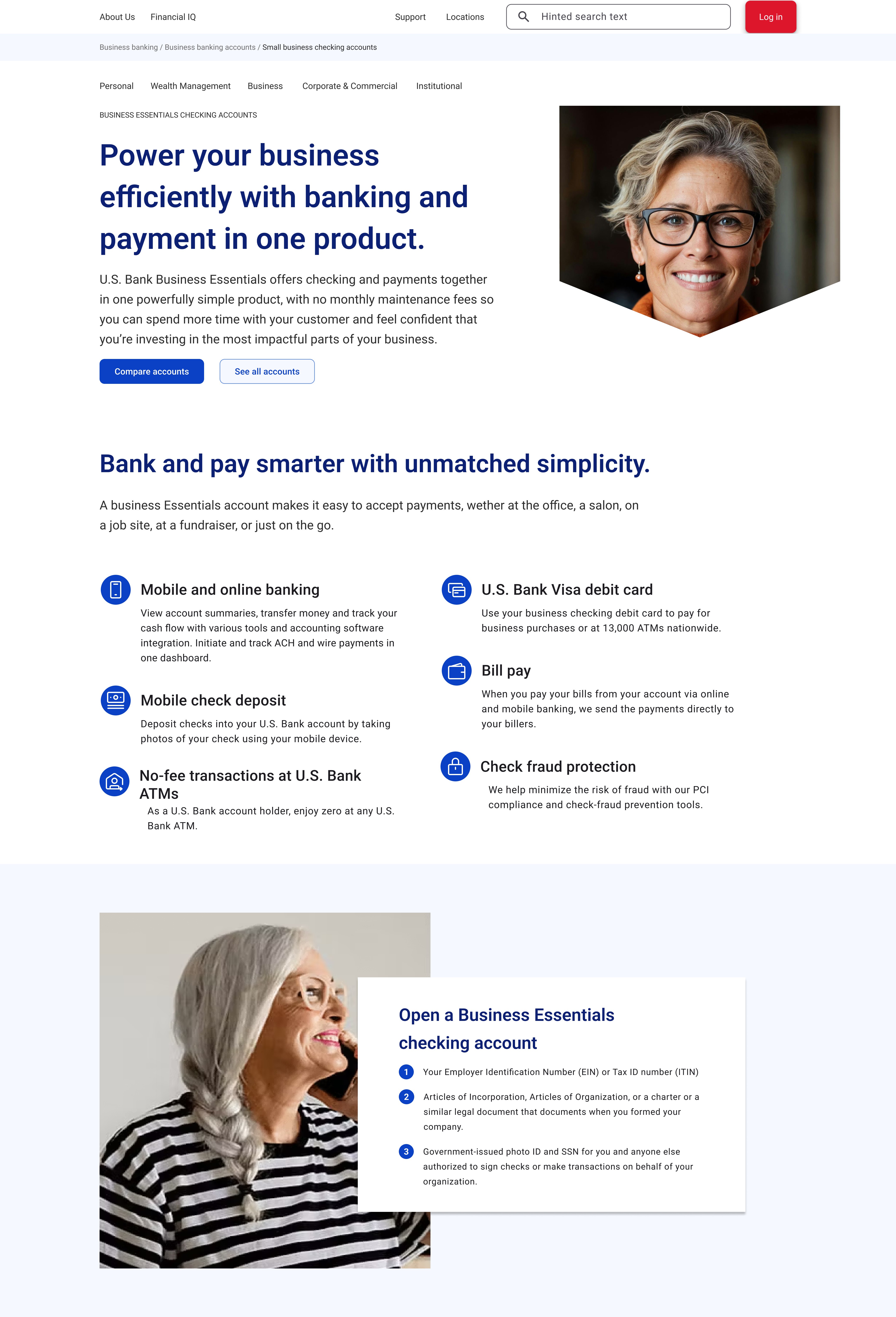
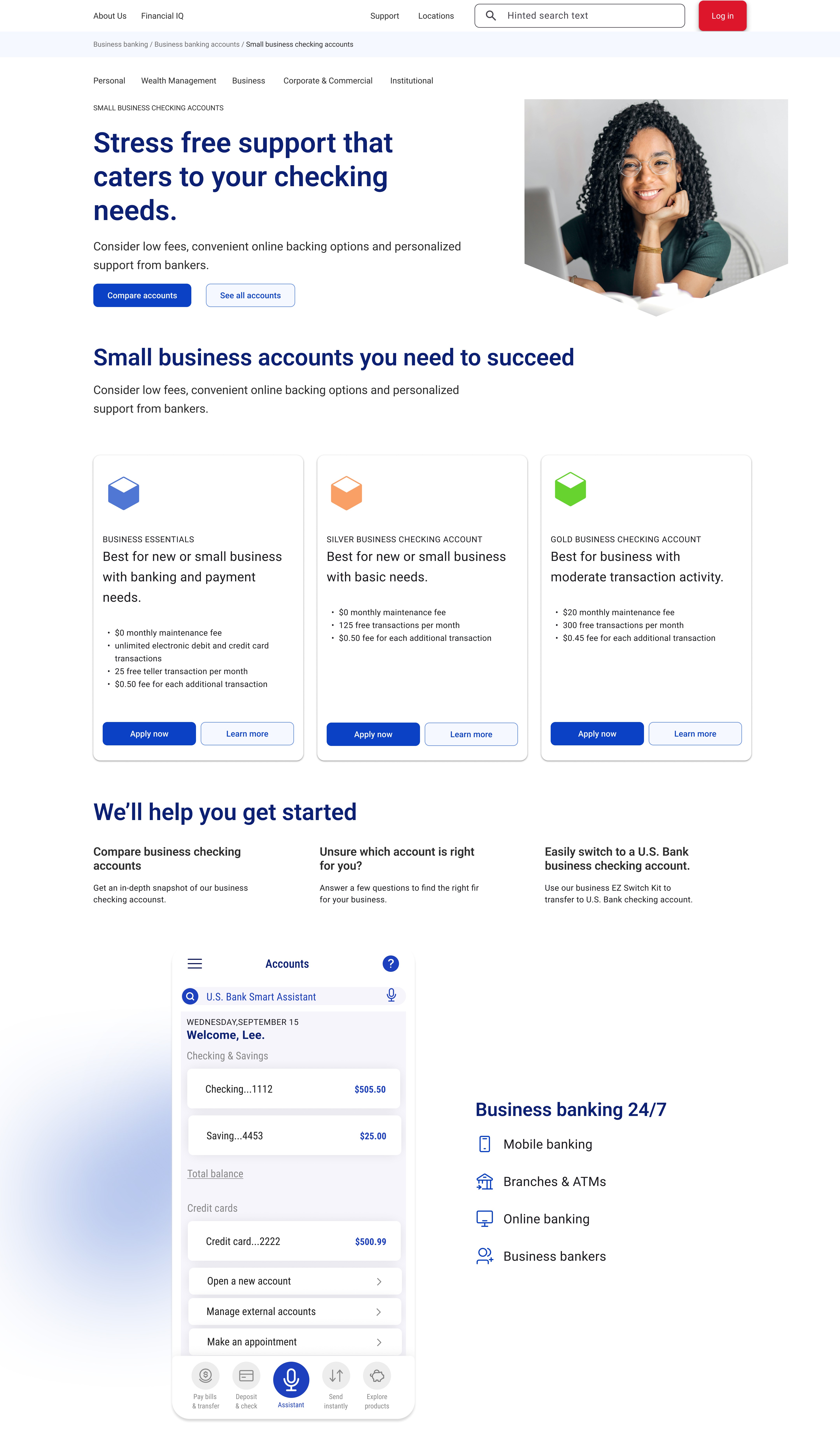
Clarified value propositions
Simplified product framing and surfaced key differentiators (e.g., fee transparency and benefits) to help users quickly understand options and build confidence.
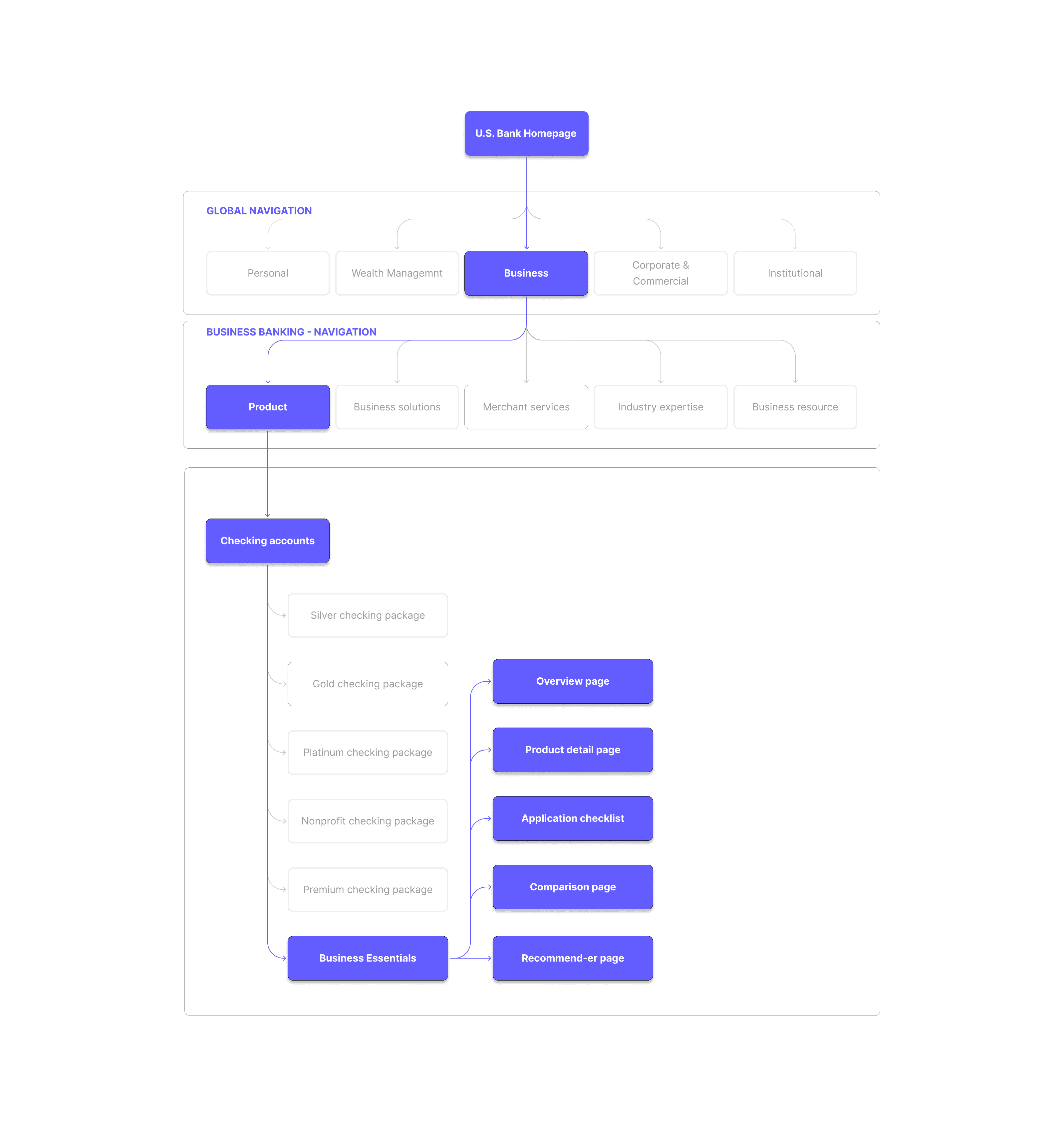
Restructured Information Architecture
The original IA separated products across multiple disconnected pages, forcing users to jump between tabs and lose context. Business and technical constraints included legacy AEM structures, accessibility compliance, and the need for content authors to manage updates without design support.
How we shipped: stabilizing delivery while the org changed
The hardest part wasn’t designing screens. It was keeping delivery stable while the org was reactive and ownership changed. I introduced lightweight structure so decisions didn’t reset:
01
Team rituals
Established a consistent cadence (UX huddles/check-ins) to keep Shop moving and reduce rework.
02
Documentation
Centralized decision context and patterns so new partners could onboard quickly.
03
Cross-team alignment
Kept Shop ↔ Apply connected so the end-to-end journey stayed coherent.
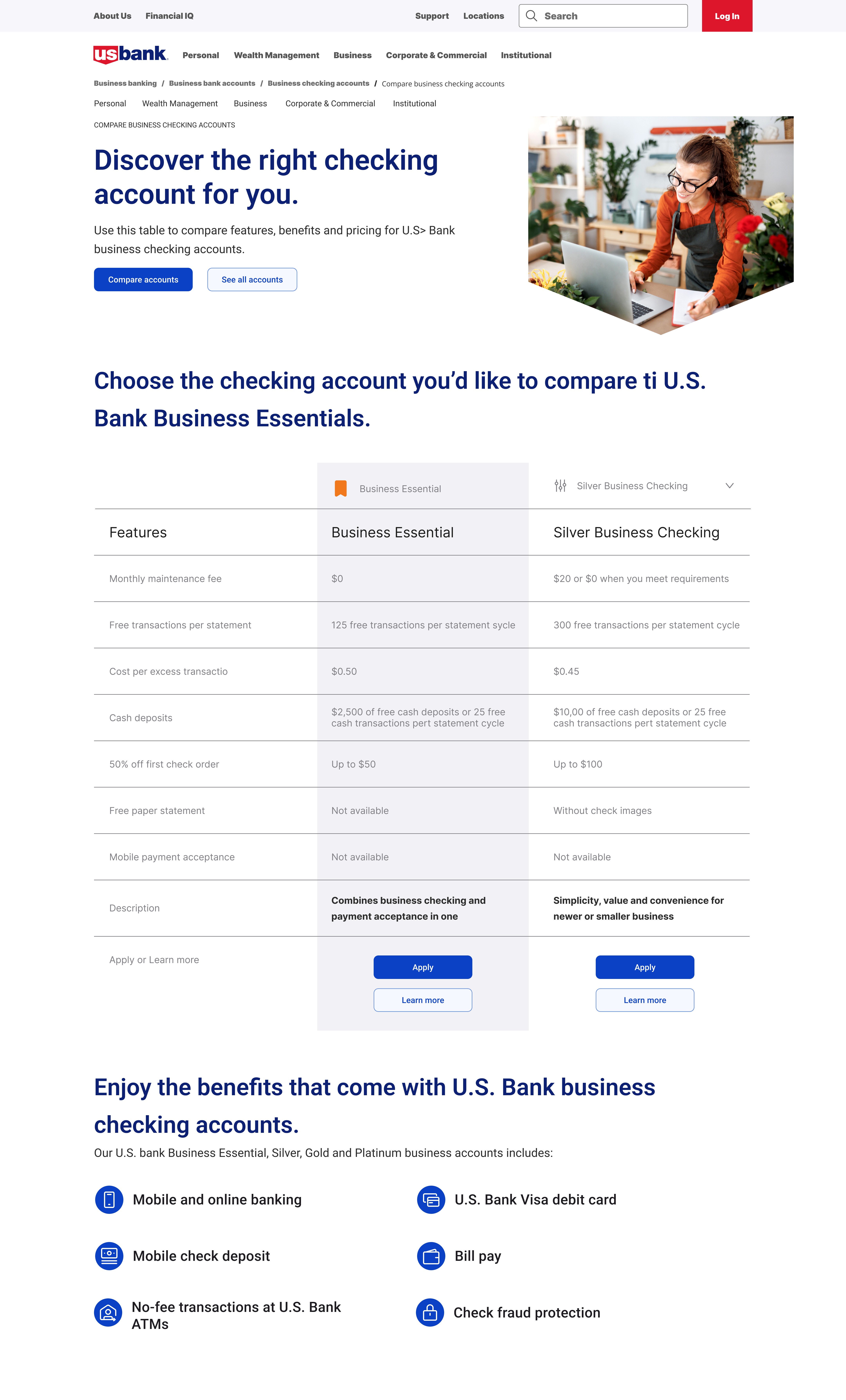
Introduced comparison modular component - Modernized AEM components
chapter 2 - apply
Designing trust inside underwriting and compliance
Applied guided-wizard and progressive disclosure patterns
Enabled save-and-return workflows
Streamlined and consolidated steps
Introduced progress visibility and confidence cues
Outcomes
Applied guided-wizard and progressive disclosure patterns
Revealed information gradually to simplify complex regulatory steps and improve comprehension.
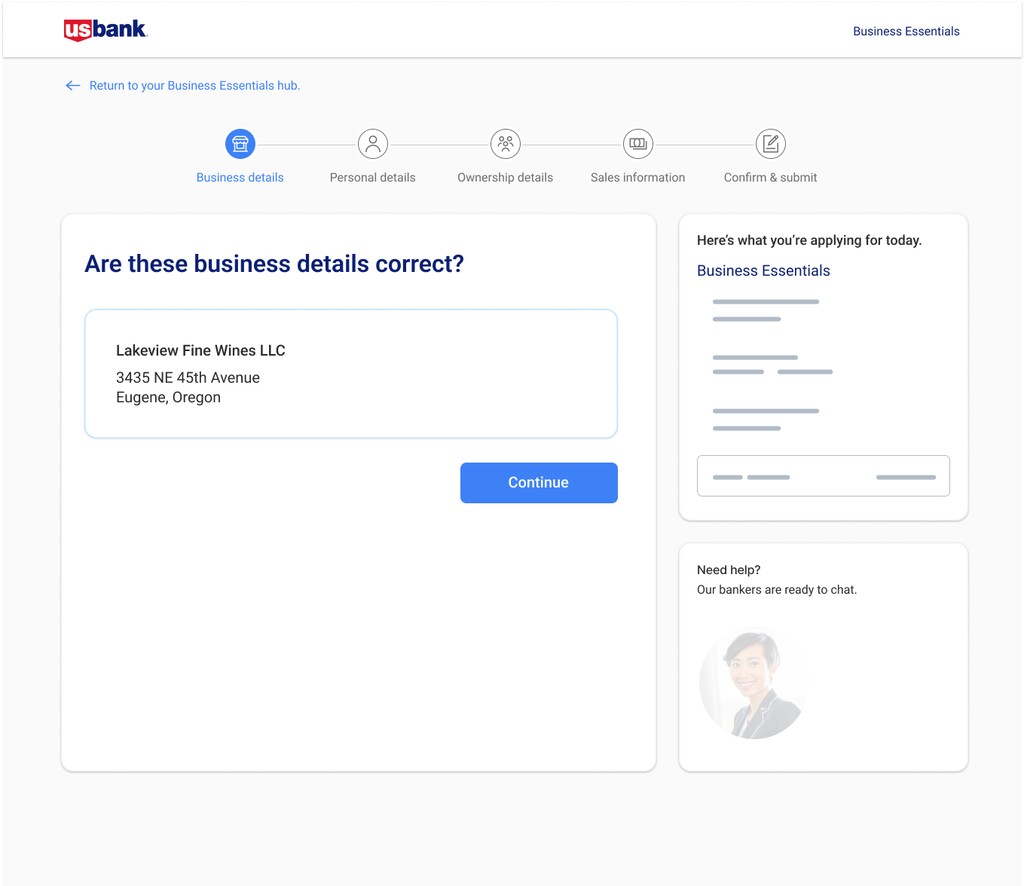
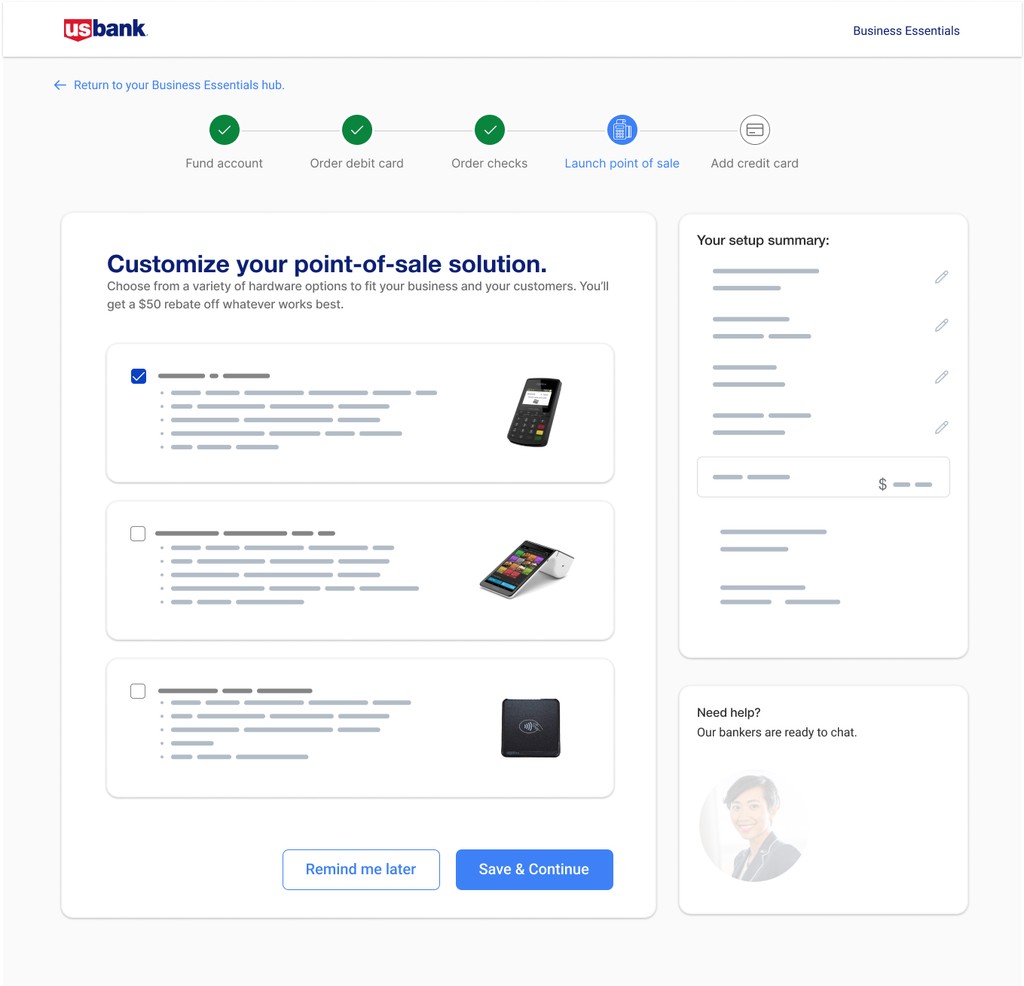
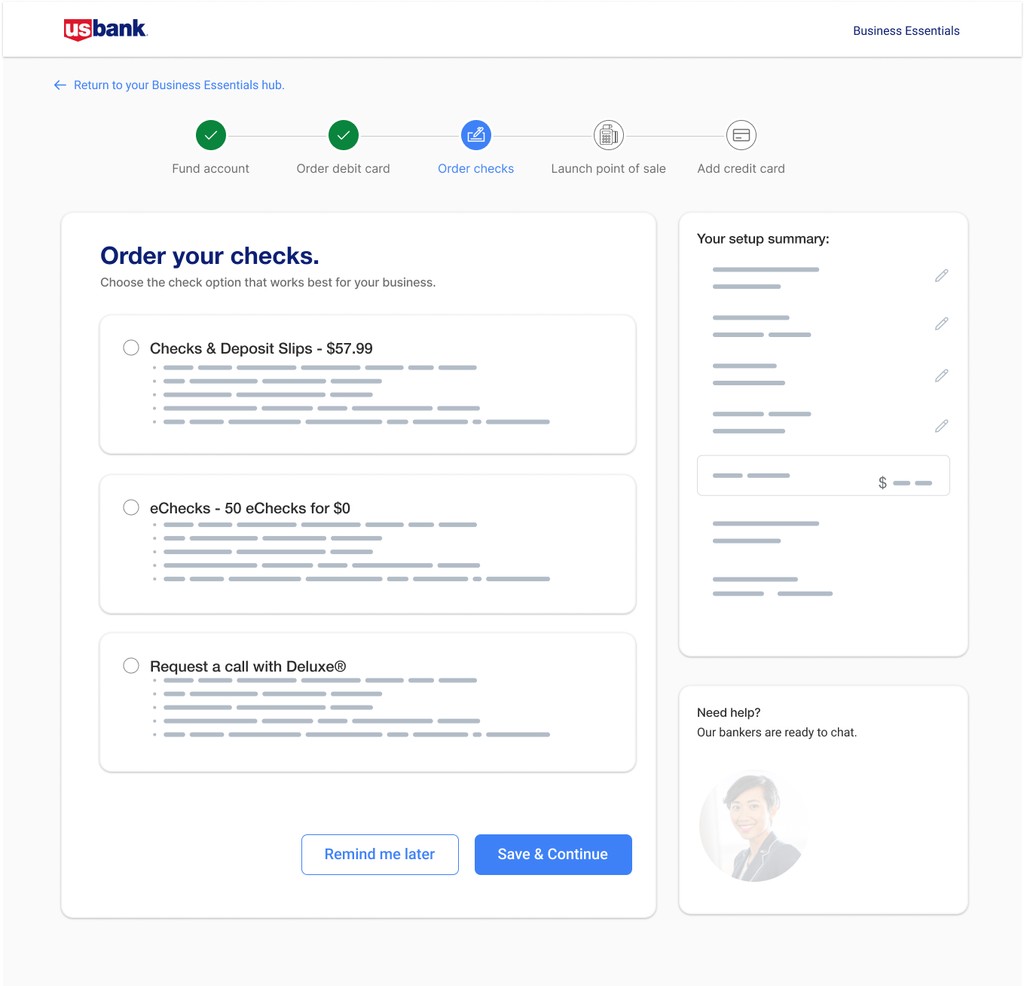
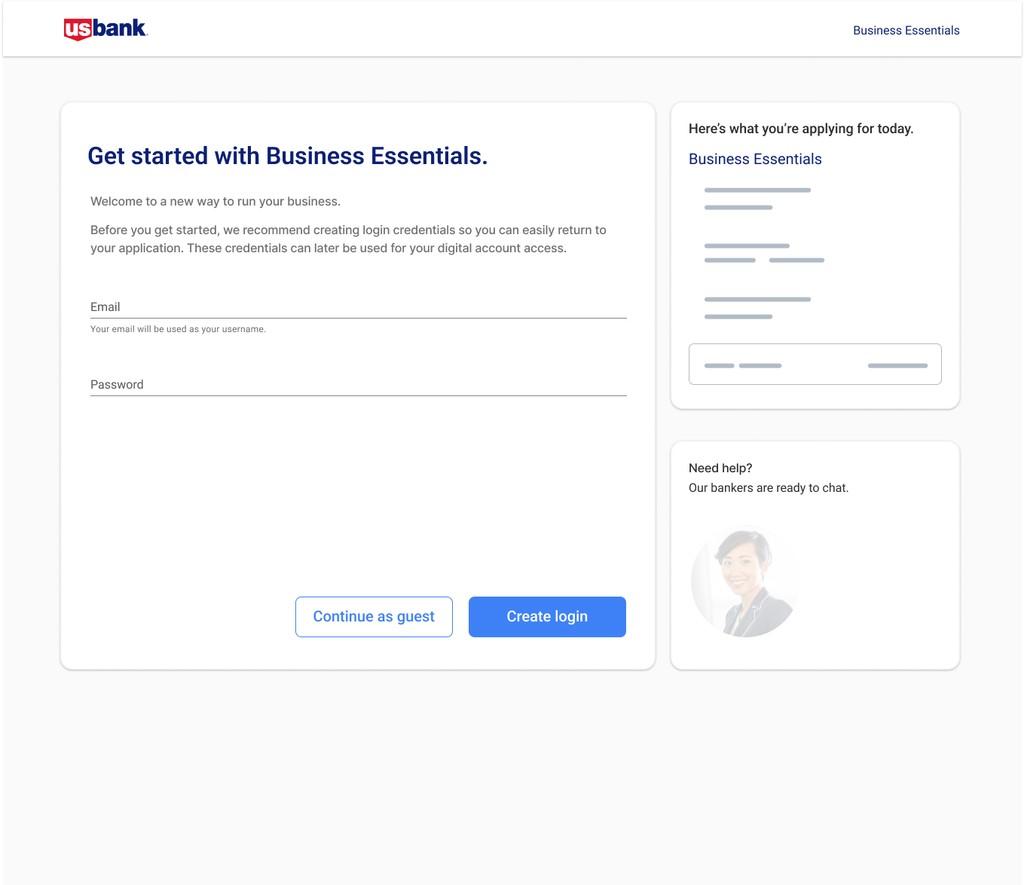
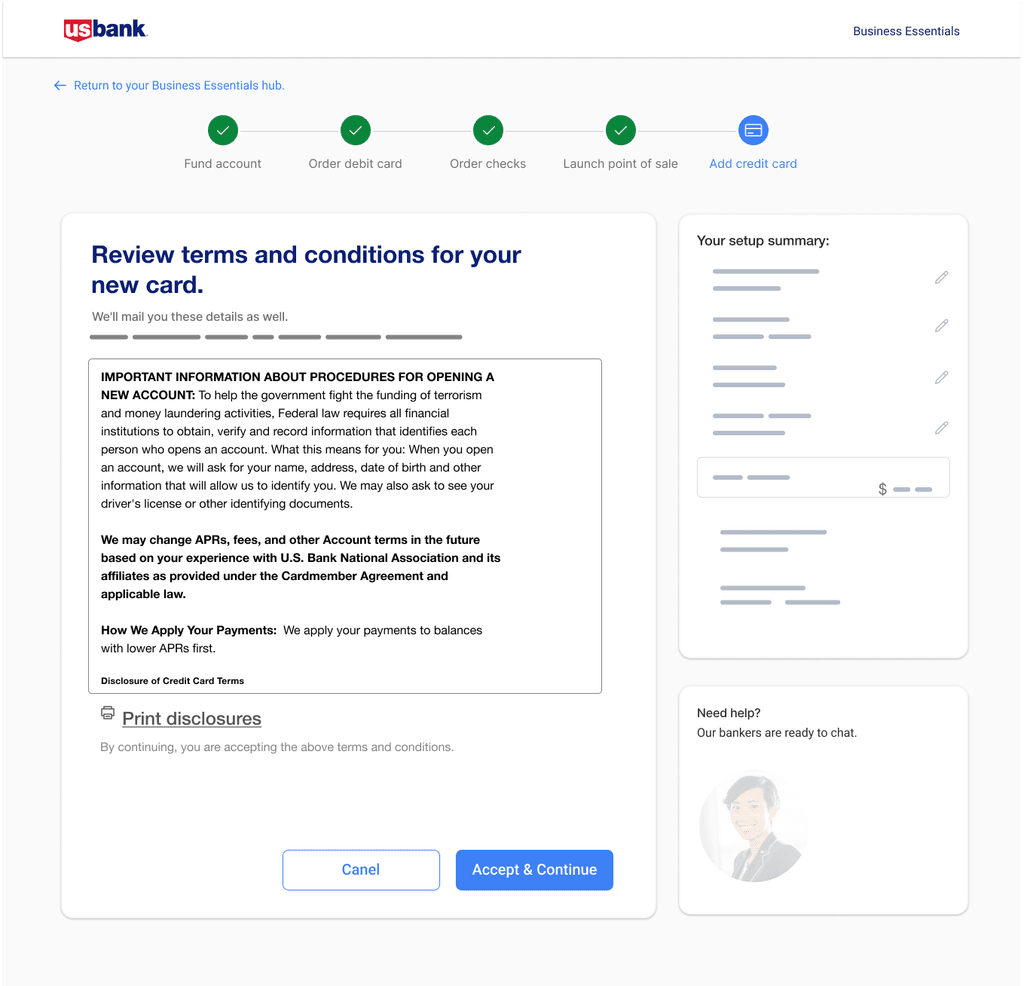
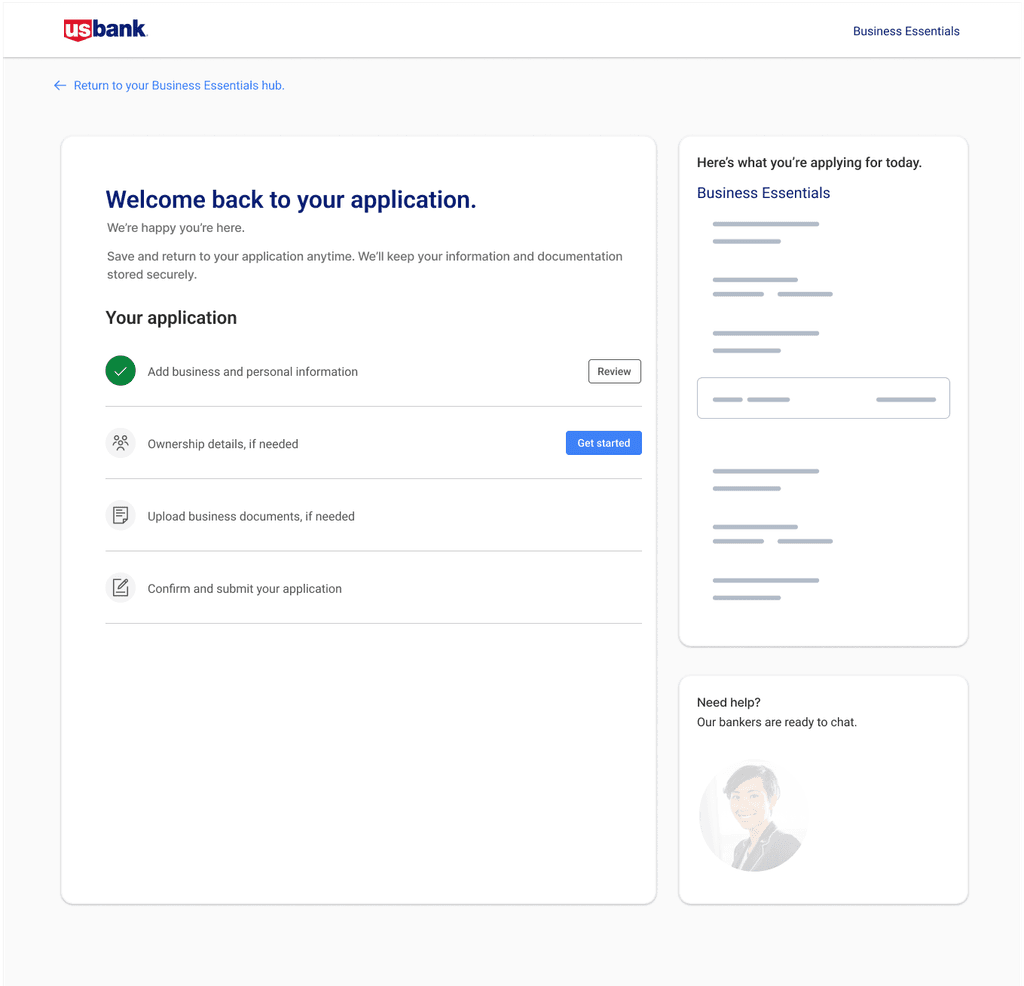
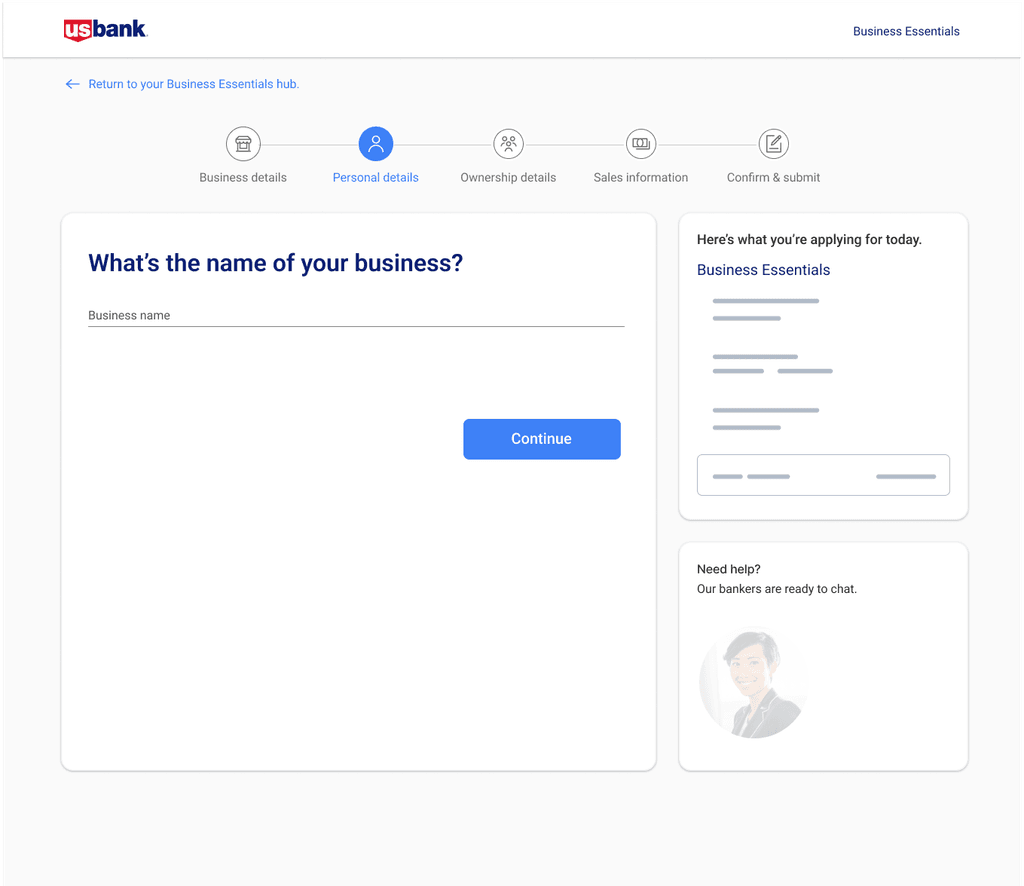
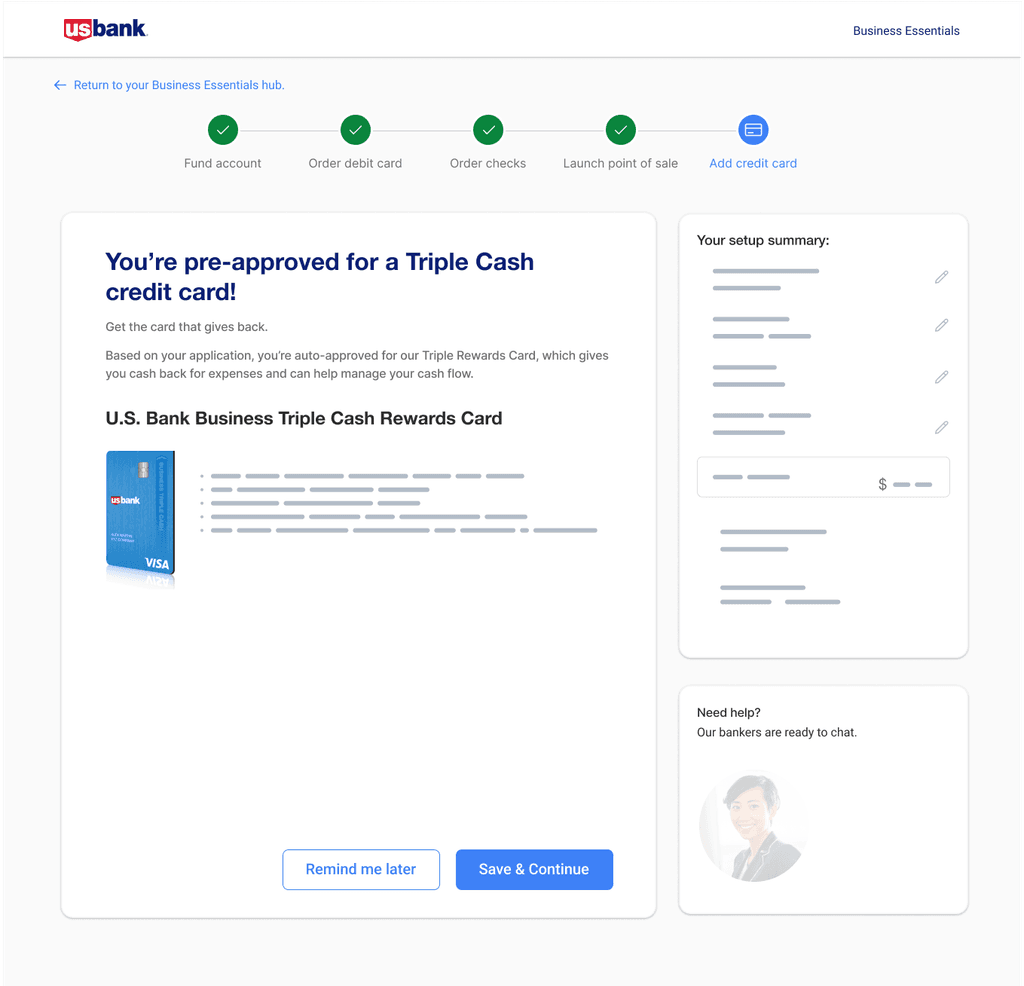
Streamlined and consolidated steps
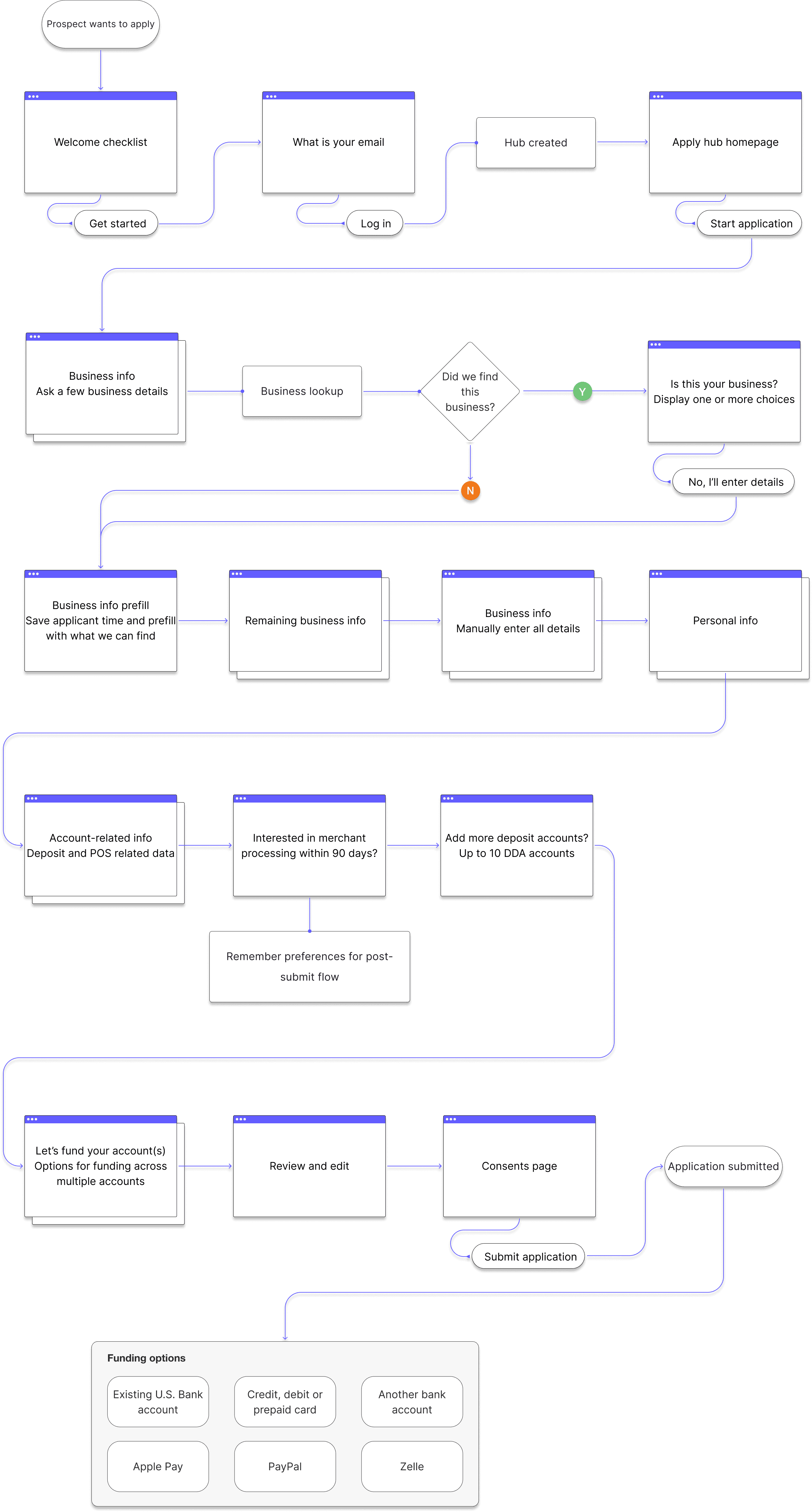
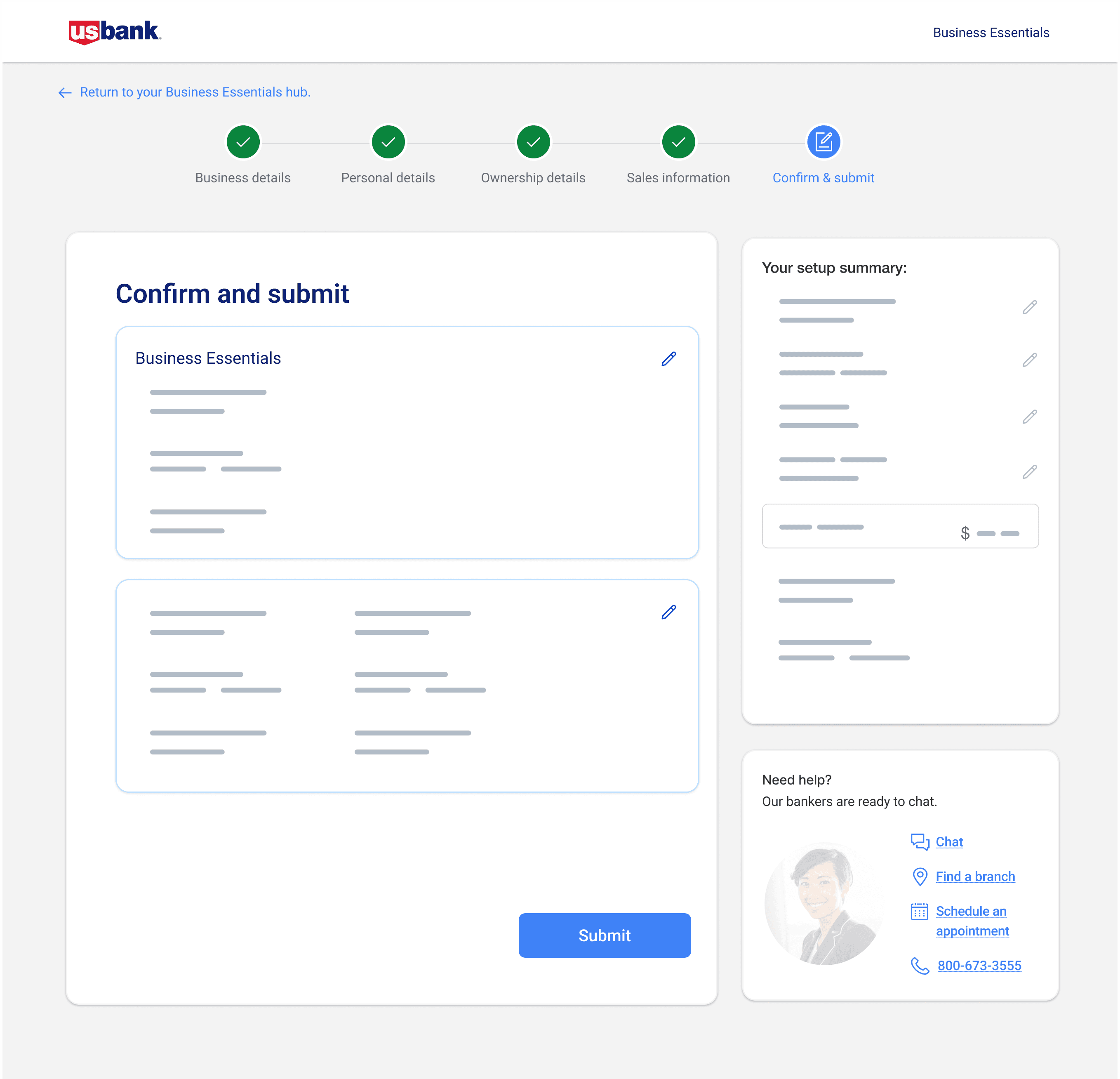
Introduced progress visibility and confidence cues
Tradeoffs I navigated (what we chose and what we didn’t)
Enterprise work is tradeoffs. Here are the key ones I navigated to ship a usable experience within real constraints:
01
Compliance vs speed
We couldn’t remove certain steps, so I focused on making the flow feel bounded and controllable (progress visibility, grouping, review/edit).
02
Consistency vs feasibility
We couldn’t rebuild everything from scratch. In Shop (AEM), I identified where we could enhance existing components for decision support, rather than designing patterns engineering couldn’t implement.
03
Perfect UX vs shipping reality
Where the team lacked capacity or ownership shifted, I prioritized the changes that most reduced drop-off and confusion first, then documented the rest as follow-ups.
chapter 3- onboarding
From approval to activation
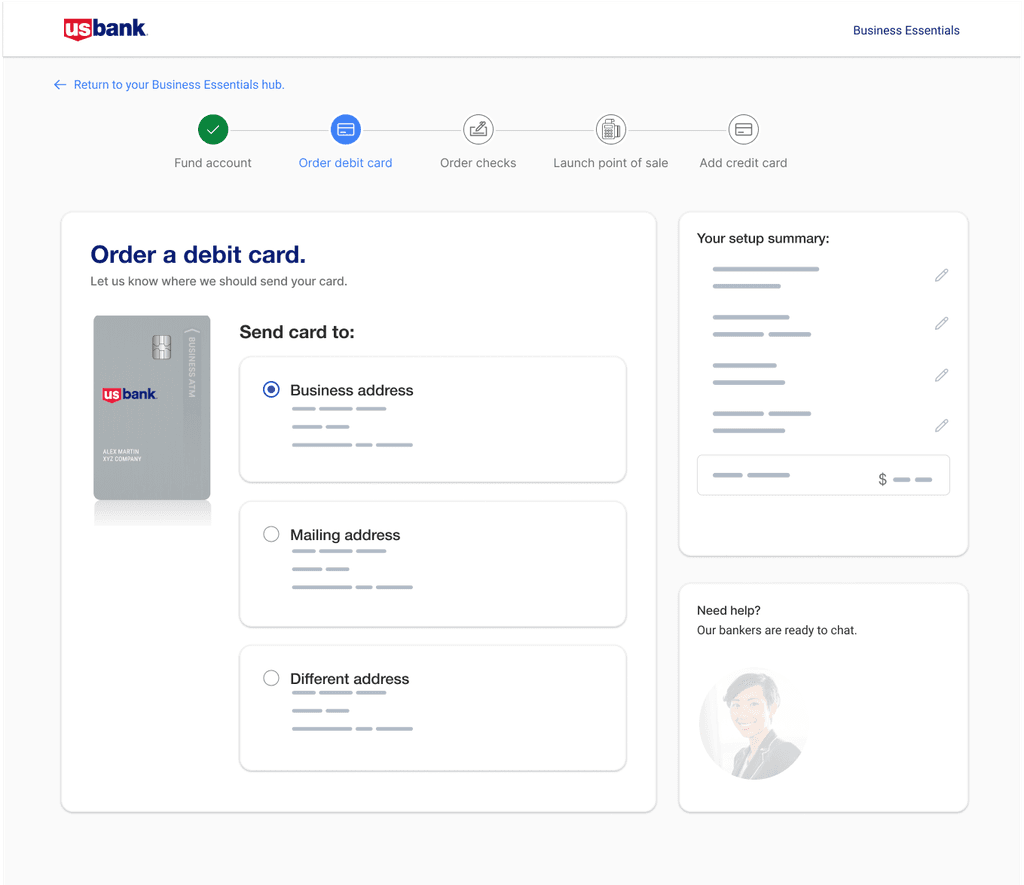
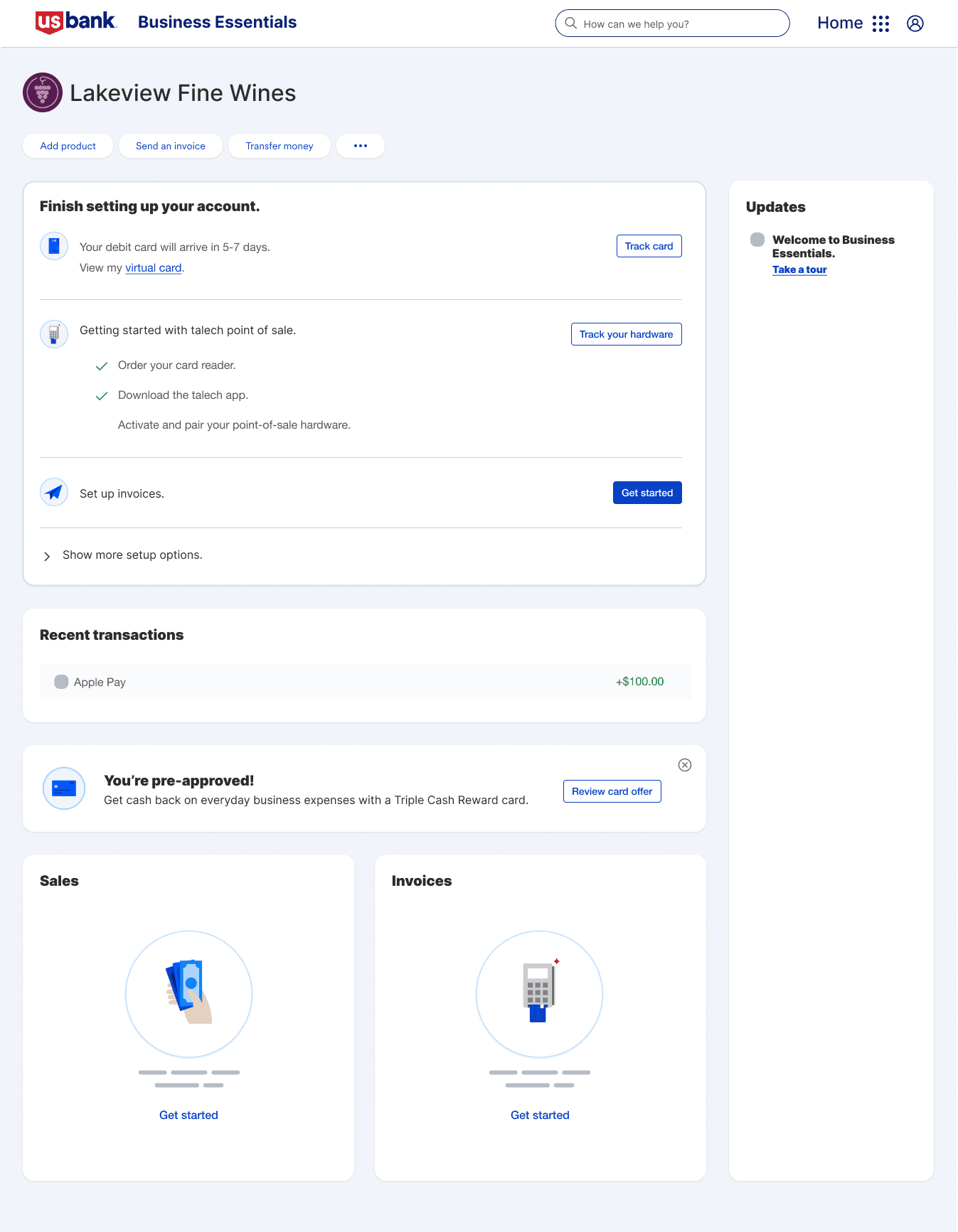
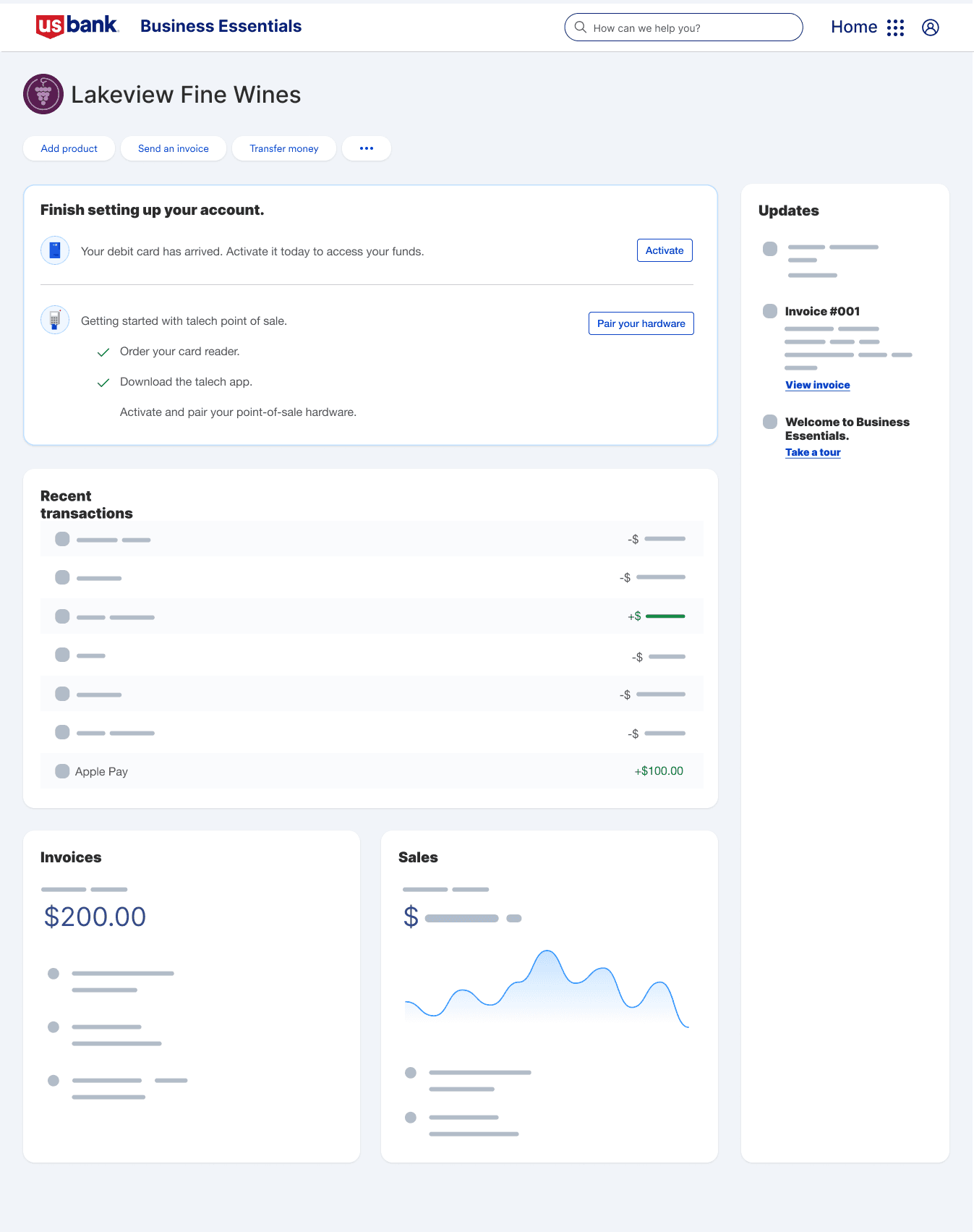
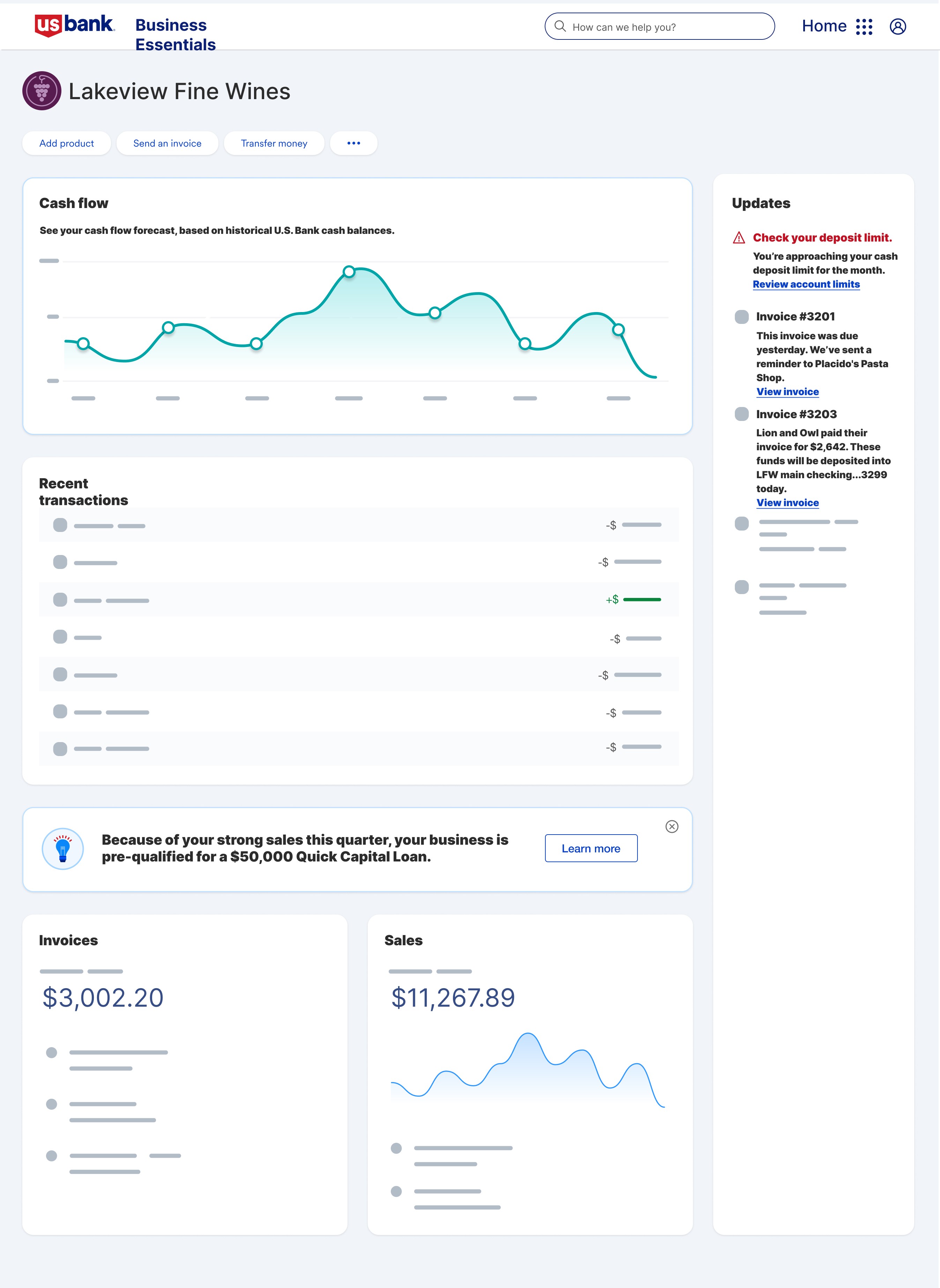
After approval, small business owners still needed help setting up their accounts and understanding how to begin using the system. The transition from application completion to product adoption lacked clarity, leaving users unsure how to take meaningful first actions.
Key moves
Defined clear information hierarchy
Validated interaction patterns through prototyping
Outcomes
Validated interaction patterns through prototyping
Leading without authority across product, engineering, risk, and content
This project was bigger than “designing flows.” My impact was in creating alignment across teams that had different incentives and constraints.
01
Handled churn without losing momentum
Shop experienced significant turnover (multiple PM/PO exits). I repeatedly onboarded new partners, re-established shared context, and protected delivery from constantly resetting.
02
Used workshops to unlock better solutions
Early dev involvement wasn’t optional. It created breakthroughs (like collapsing five screens into one) that we wouldn’t have found through “design-only” iteration.
03
Advocated for user decision tools
Based on research, I personally pushed a product comparison table through heavy back-and-forth because it materially improved decision confidence in Shop. This wasn’t “nice to have,” it was core to selecting the right bundle.
Reflection
Designing Business Essentials from the ground up taught me how to lead through ambiguity, align multiple teams under a shared vision, and design scalable systems that connect across complex ecosystems. If I were to revisit the project, I’d conduct earlier validation of information architecture and involve AEM authors sooner to streamline implementation and reduce rework.